Track daily, reflect weekly.
You don't need to stare at charts every day. BiteBot watches the trends so you don't have to — and gives you a clear summary when it's time to check in. Glance at today's progress in seconds. Reflect on the week when you're ready. The data's always there when you want it.
Built by Aaron in TestFlight. Getting better every week.
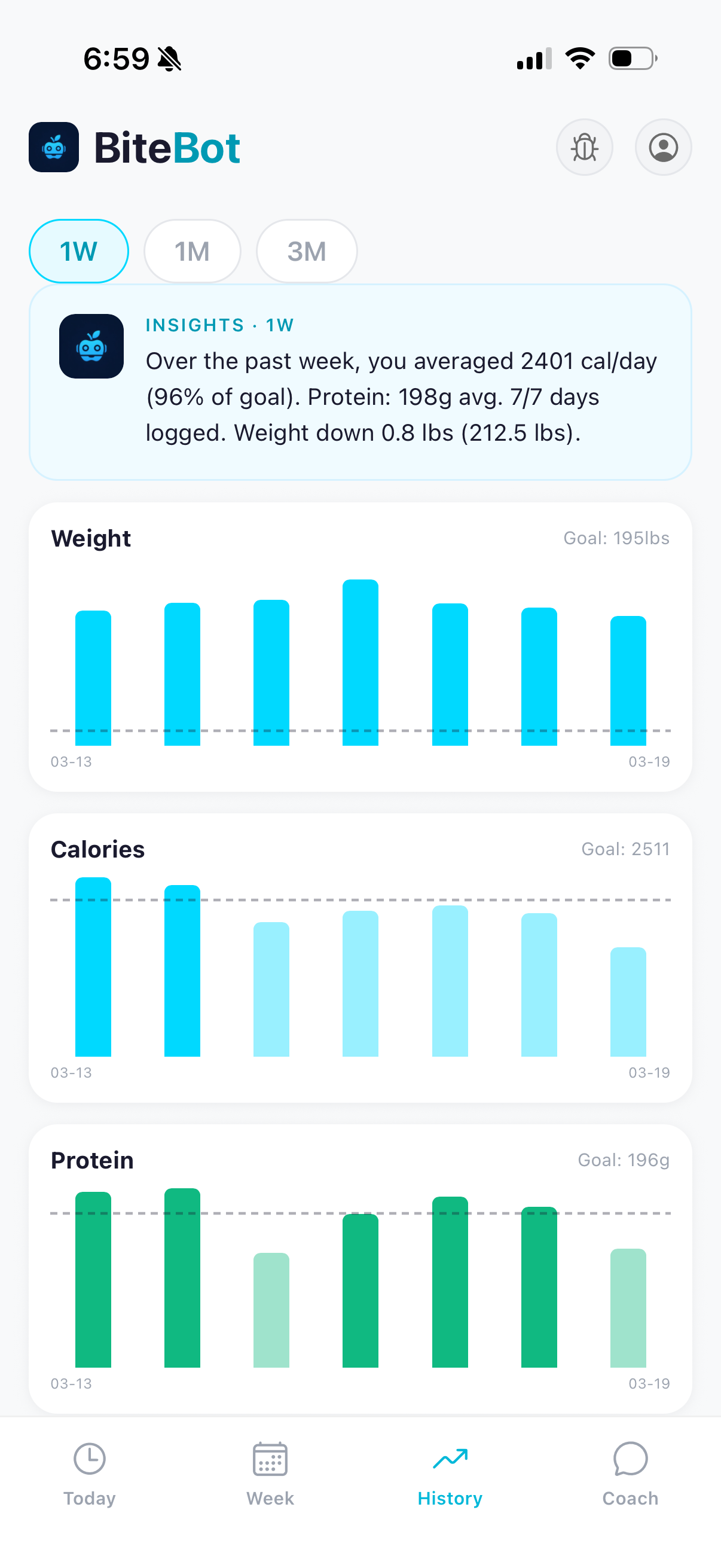
The daily check-in.
The Today tab is the everyday surface. The calorie ring fills as you log, the macro bars catch up, and the coach drops a one-line read on how the day's going. It's built to be glanced at — not the screen you stare at, not the screen that asks you to do anything.
Open it, see where you are, get on with your day.
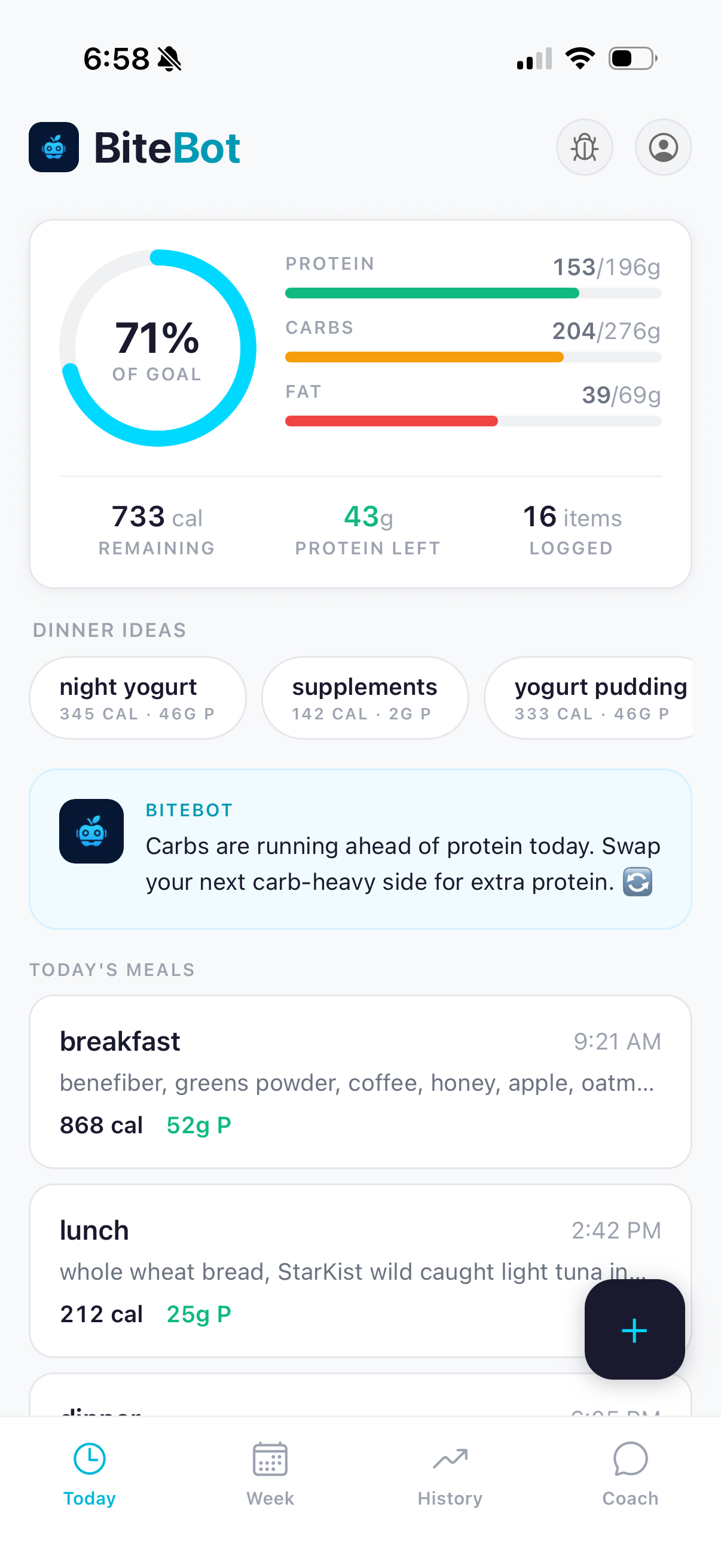
Show up, then track.
Two streaks live on this screen: days weighed and days logged. They're up top because they're the only thing you have to do. The number on the scale isn't the goal — showing up is.
The trend that emerges, and the milestones that come with it, are downstream of you stepping on the scale and logging your meals. They're below the streaks for a reason: there if you want them, not pushed at you.
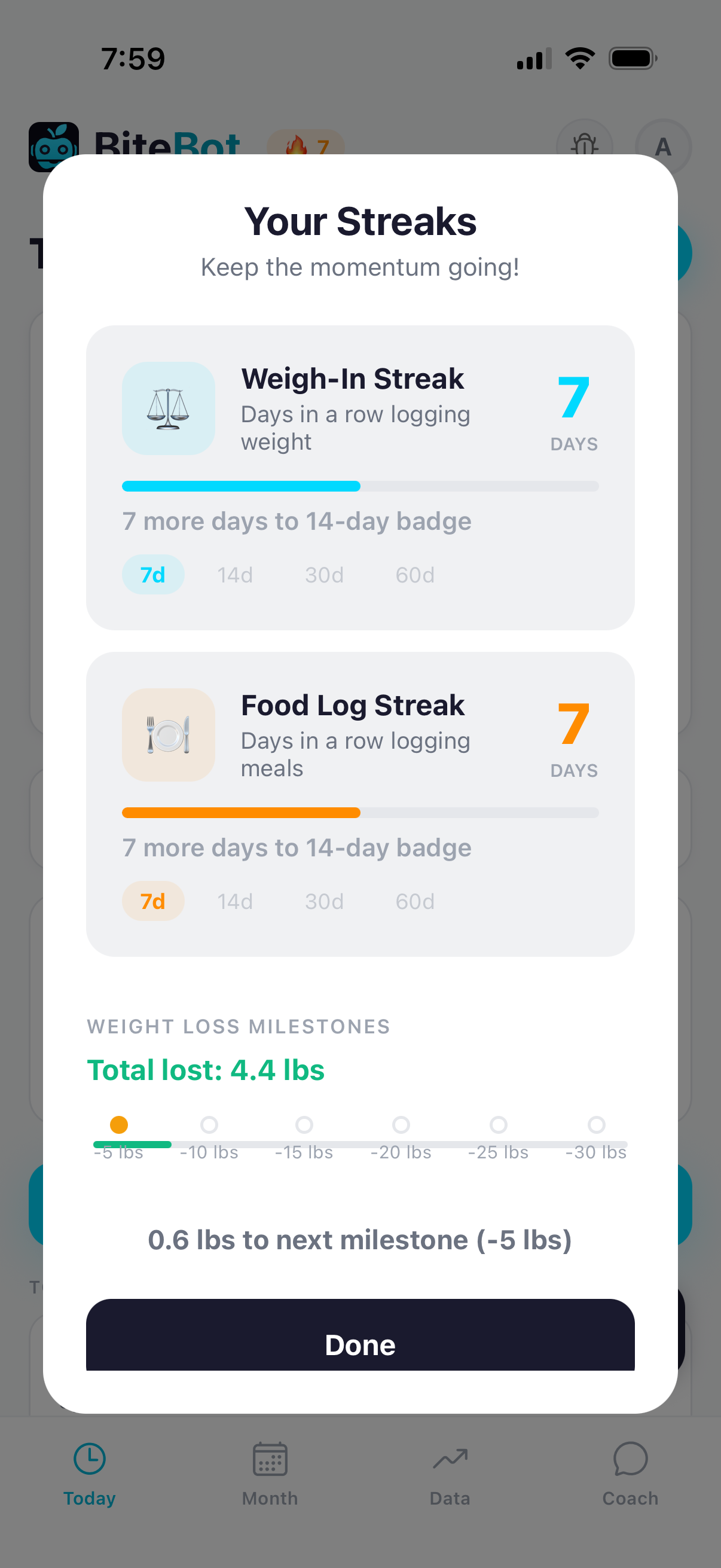
The weekly reflection.
The Data tab is where the week reads itself back to you. The chart shows the trend. The Insights card gives you the read in plain English — a paragraph that names what you did, what averaged out, and what the coach noticed. Switch the lens to a month or three months and the recap follows.
This is the killer feature for people who quit other trackers. You don't have to interpret the chart. The chart gets interpreted for you.
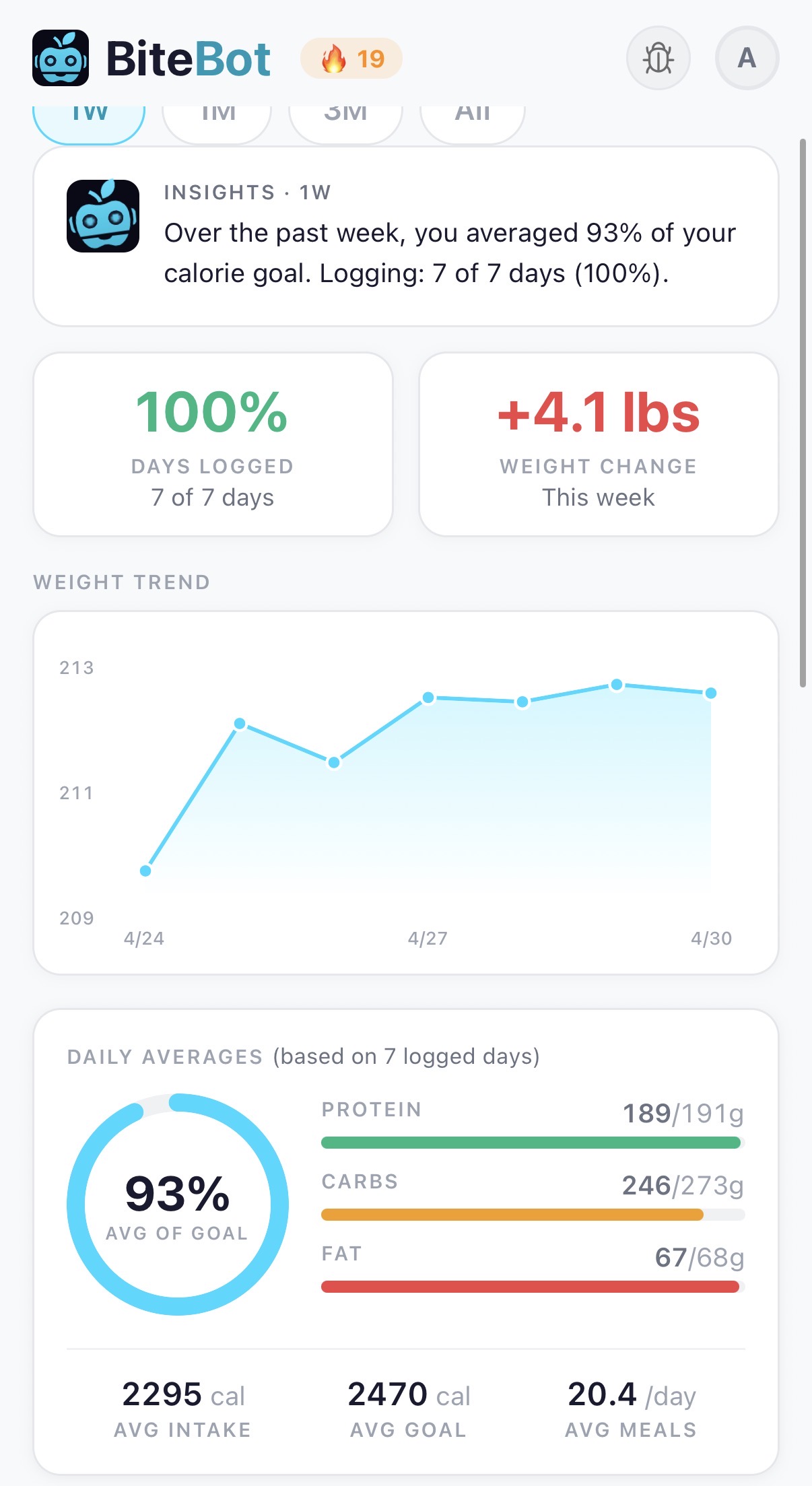
Every day stays available.
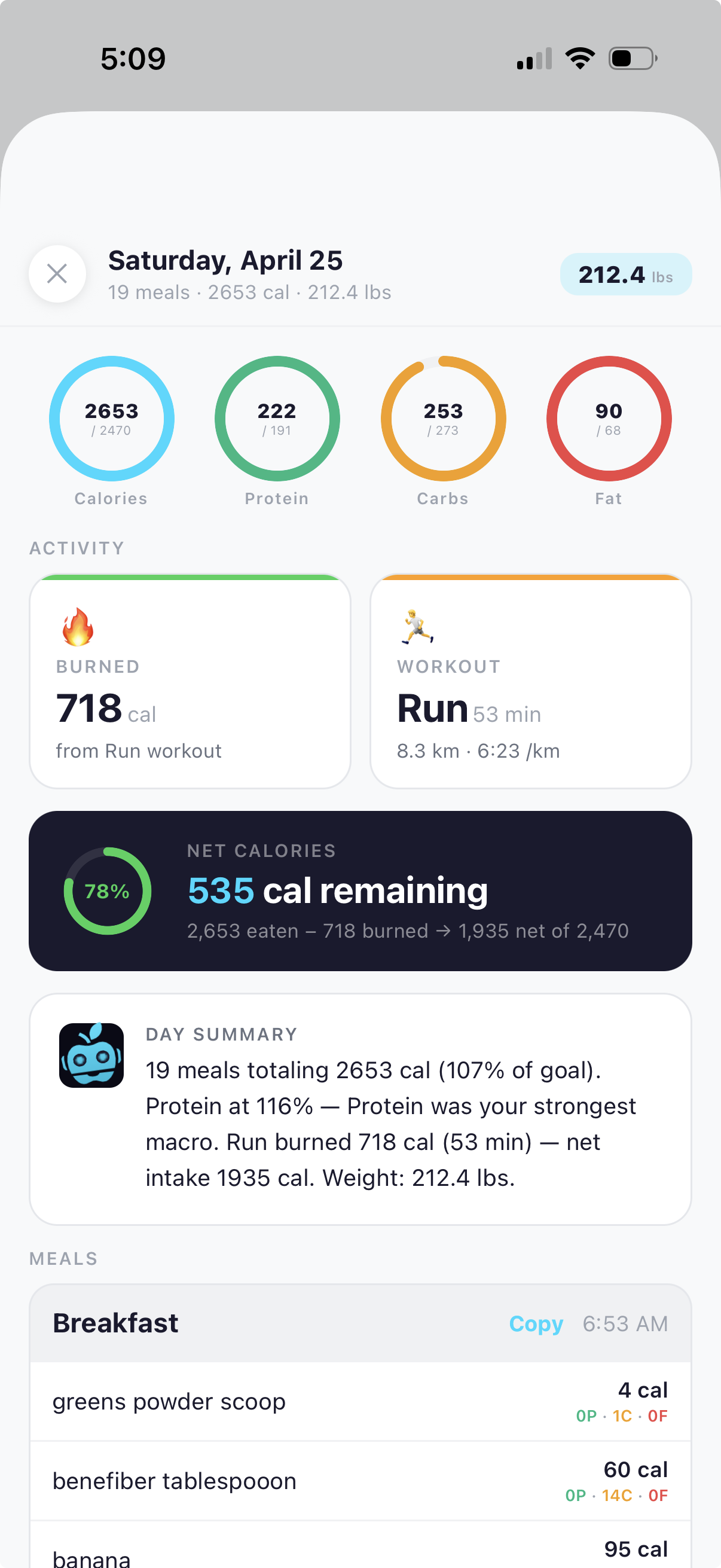
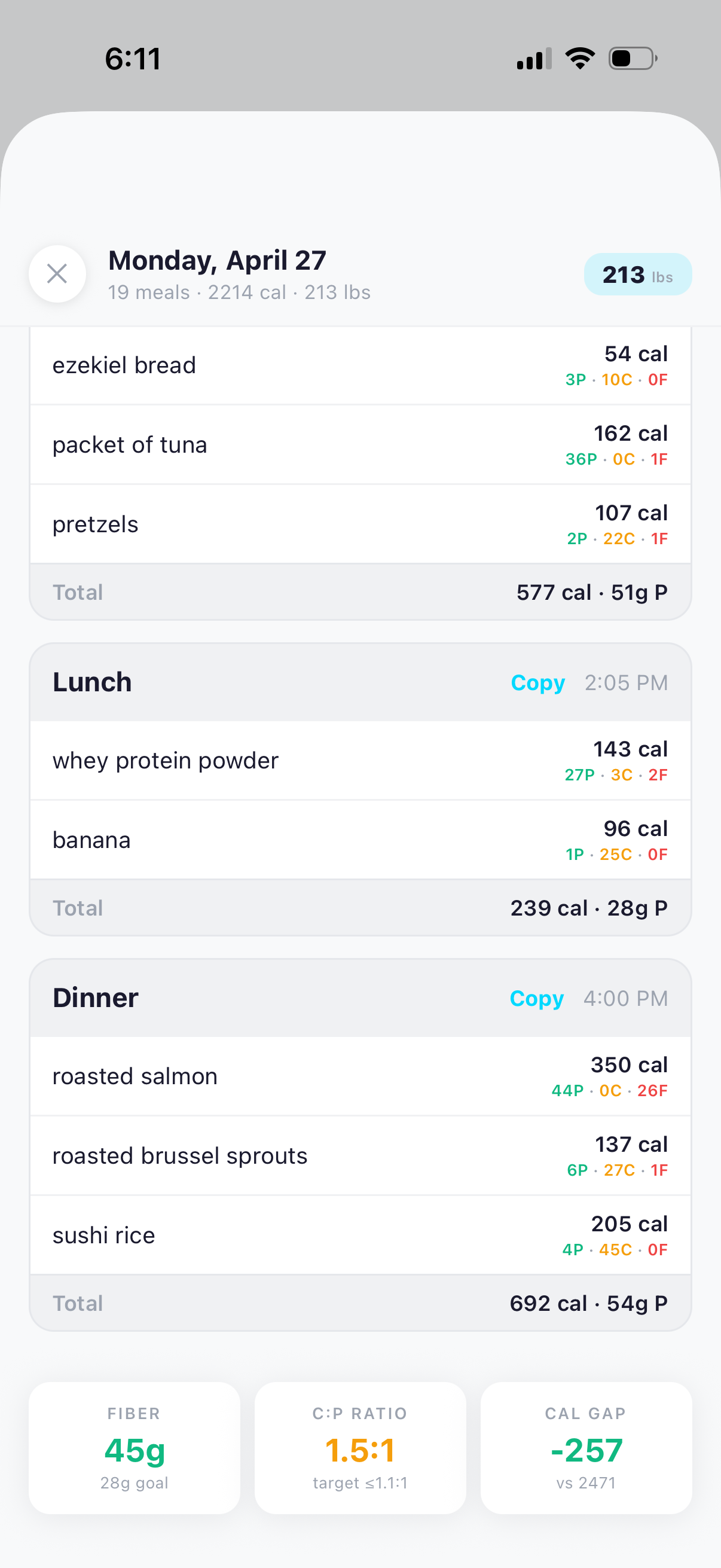
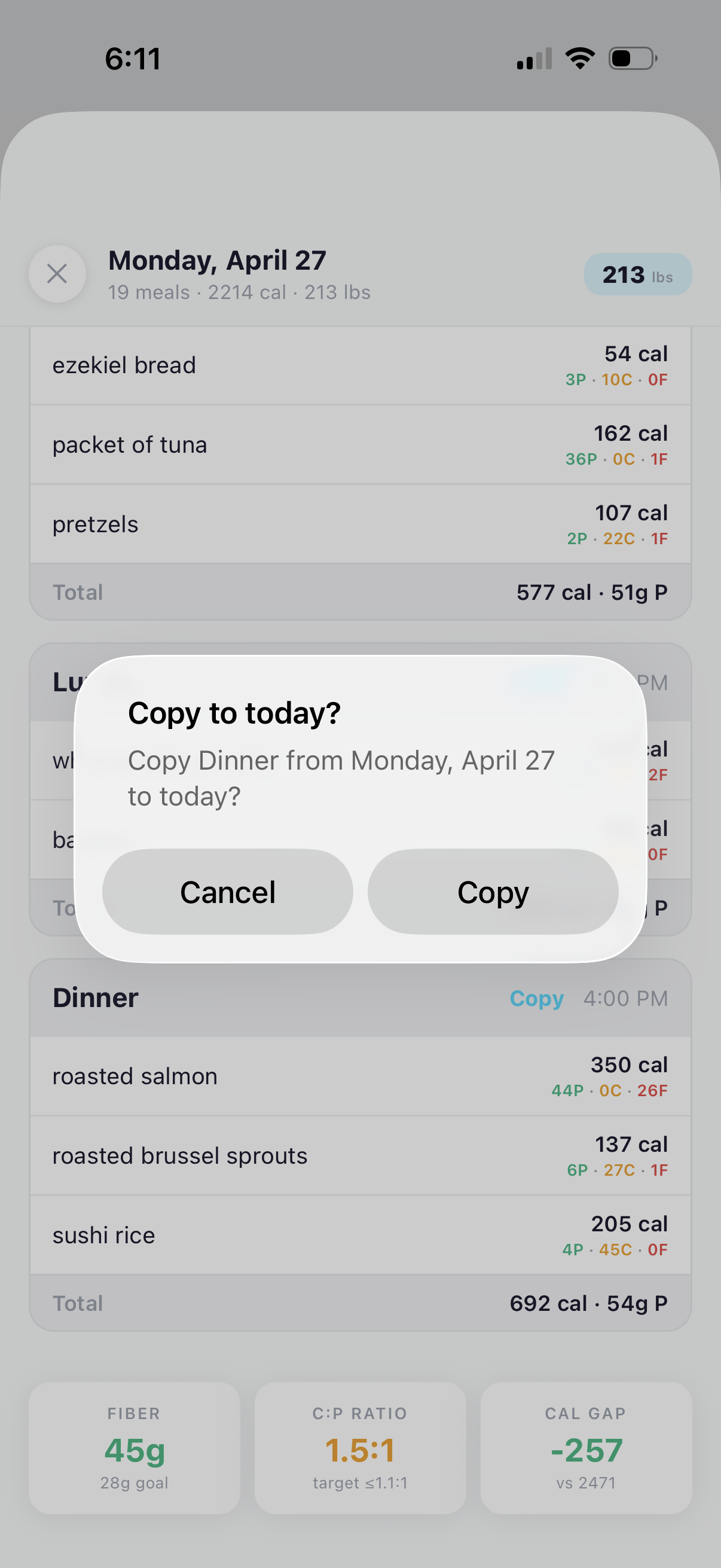
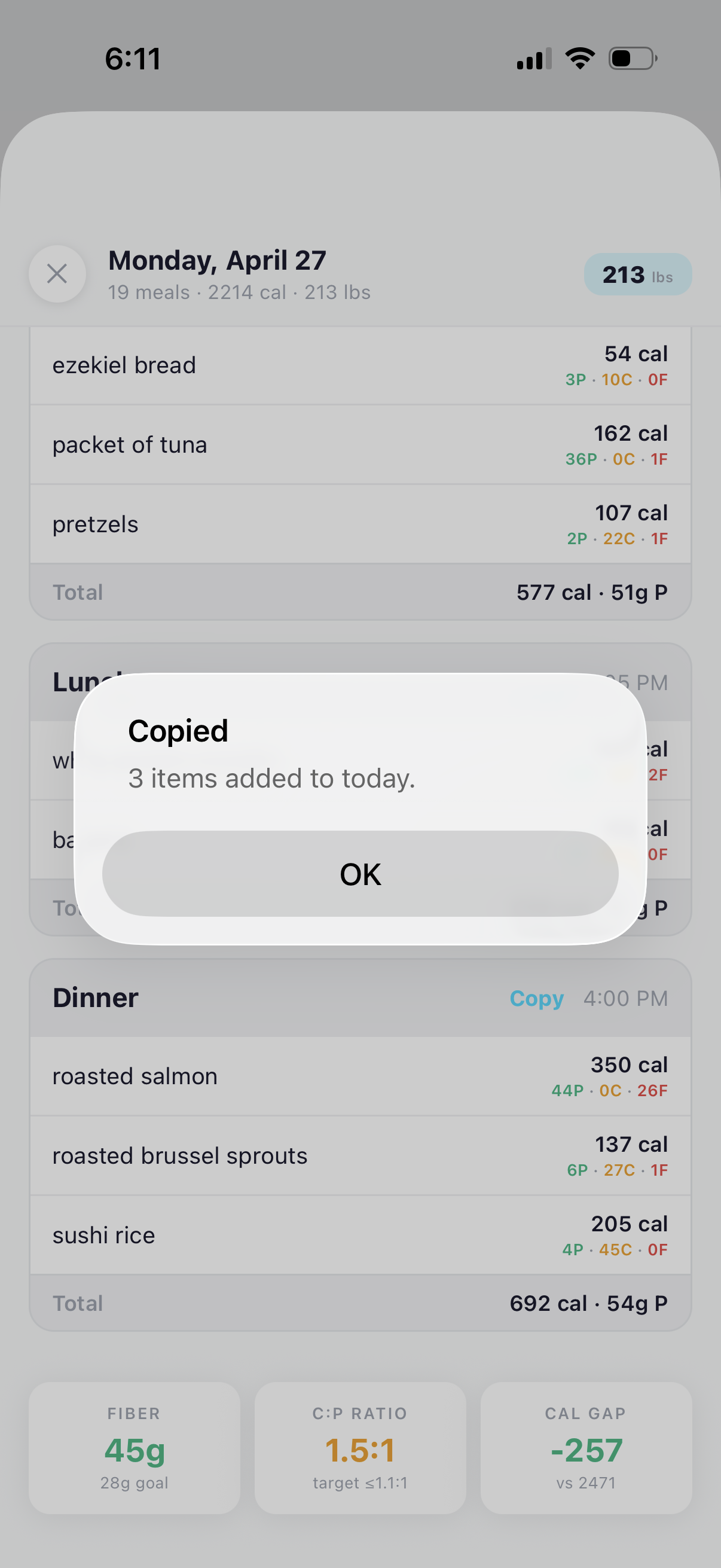
Every day you've logged is still there. Tap a date on the calendar and the day opens — the meals you ate, the macros they hit, the workout you did, the day summary in coach voice. Liked the dinner enough to eat it again? Tap Copy on the meal, confirm, and it lands on today's log.
This is the part that keeps people in the app. The history isn't a graveyard of what you did. It's a library you keep reusing.
Your past becomes a faster log.
See your full picture, on one screen.
Free during beta on TestFlight. Log a few days and the Data tab starts reading itself back to you.
Try BiteBot — it's free