Logging food shouldn't feel like data entry.
Describe what you ate the way you'd say it out loud — "venti oat latte and a chocolate croissant." BiteBot parses each item, looks up reasonable serving sizes, and shows you the result before anything's logged. Edit what's off, save what you eat often, and the next time it's just a tap.
Built by Aaron in TestFlight. Getting better every week.
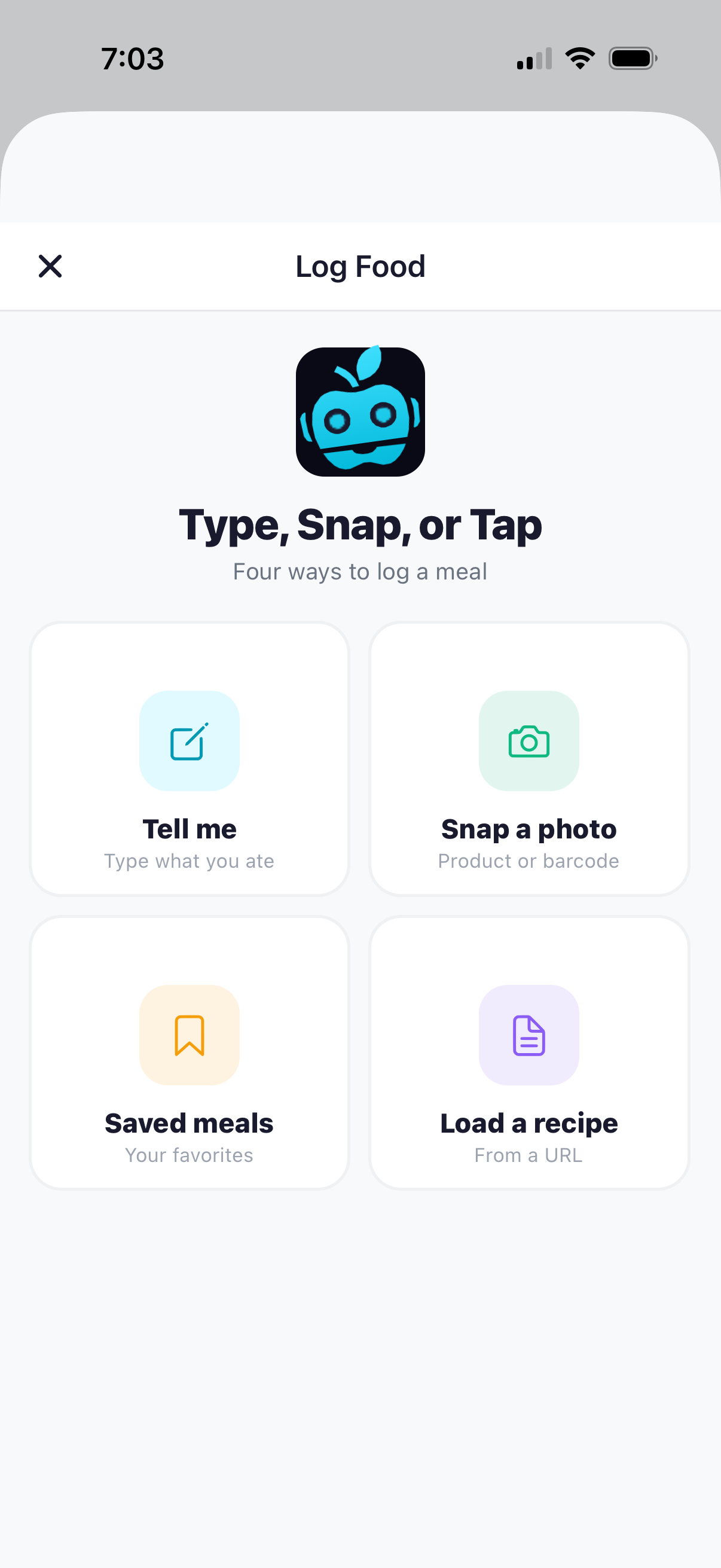
Type's the default.
Most people land on typing as the daily driver. The strength is multi-item parsing in a single sentence: "10 oz coffee, collagen powder, stevia and half and half" becomes five separate foods — not one blob. Comma or "and" — either works.
Saved meals come close once you've been around a few weeks. Photo and recipe entry sit underneath, ready for the moments typing isn't faster.
Fast in, accurate out.
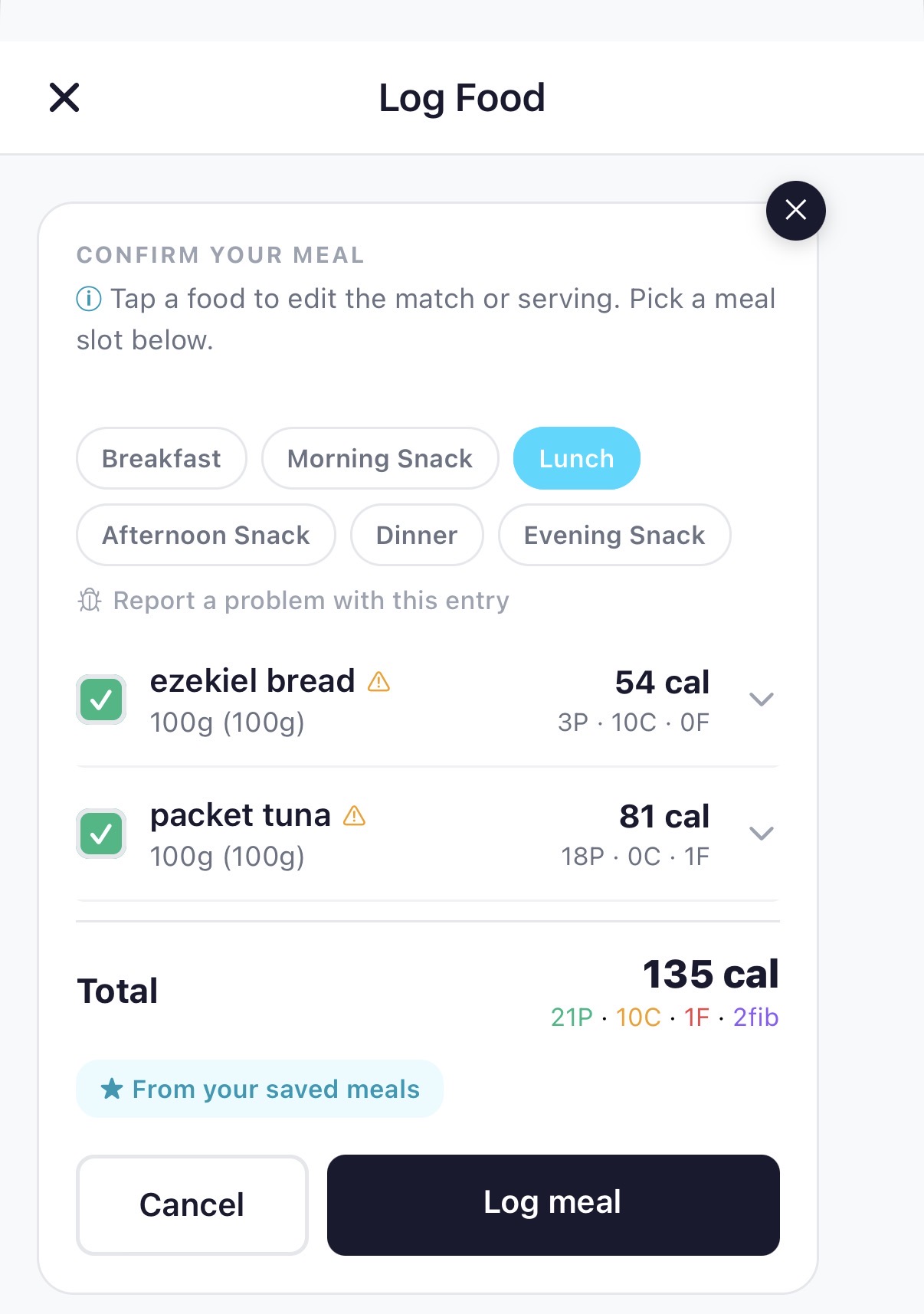
The confirm card exists because the very first beta users said the same thing: I want to see what BiteBot heard before it logs. Now every entry pauses on this screen. You can edit a serving size, swap an ingredient, or flag something that's clearly off.
The confirm step is what makes the rest of the app work. When the coach reads your week or the rings update on Today, those numbers are only useful because you signed off on them.
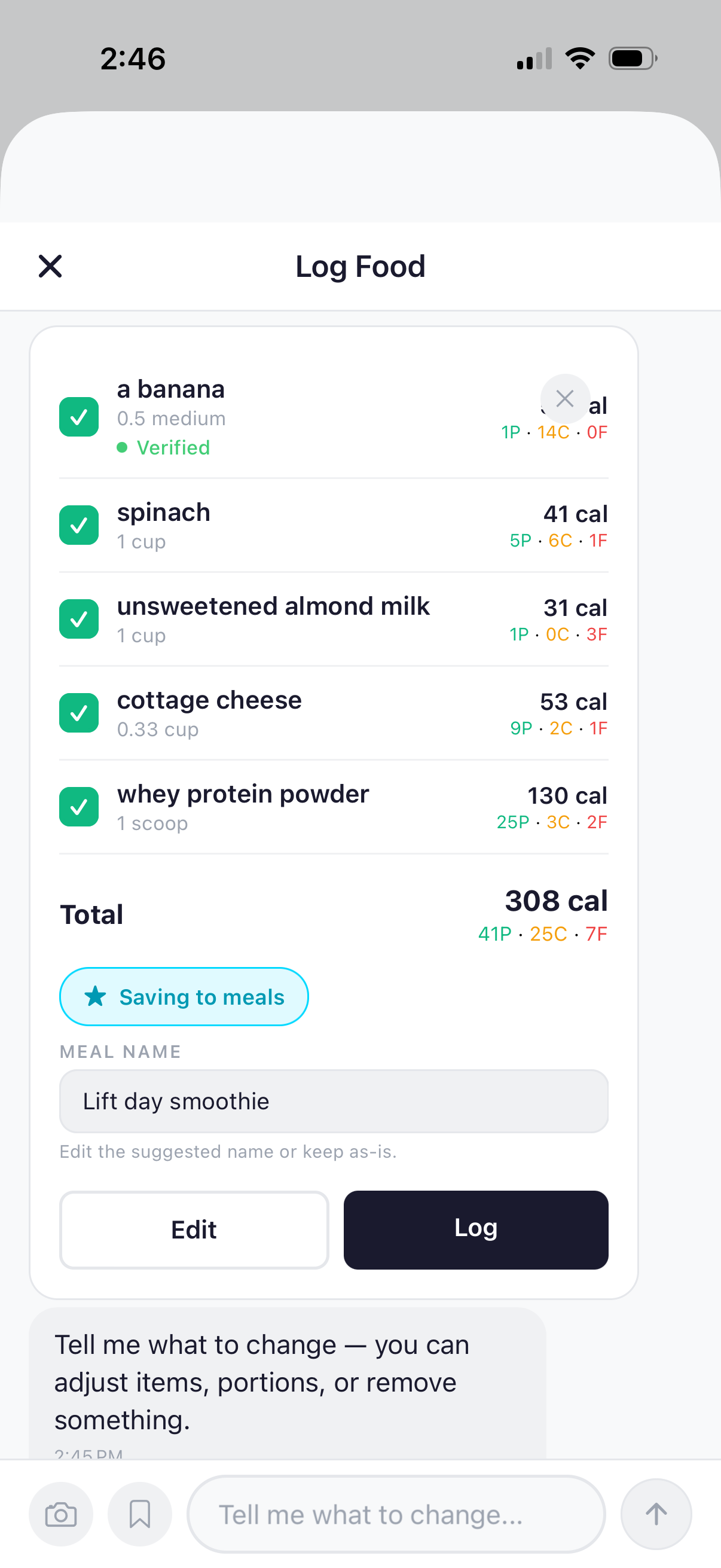
It gets faster the more you use it.
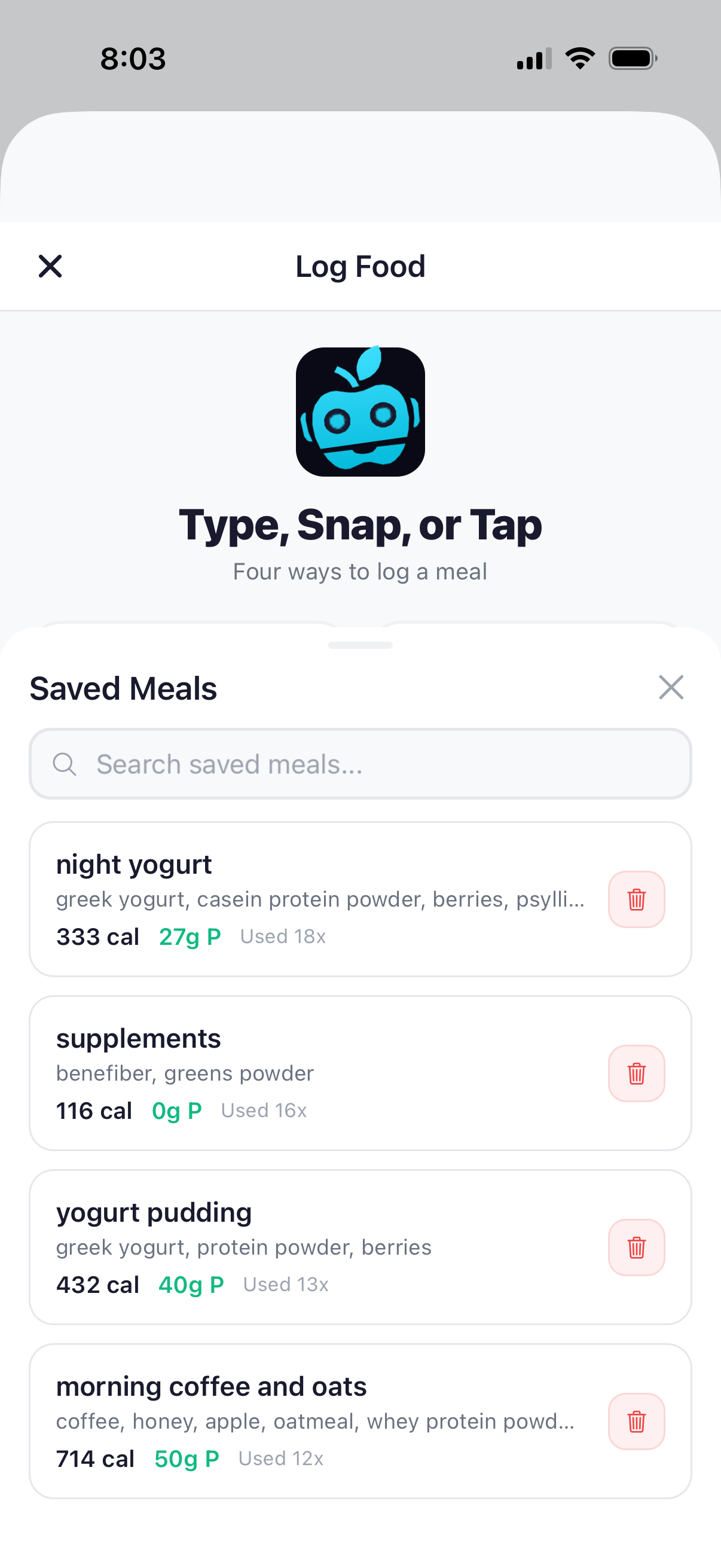
Type something once, save it, and the next thirty times it's a tap. The morning coffee. The lift-day smoothie. The exact meal-prep lunch you eat four days a week.
After your first week, the meals you eat regularly become one-tap entries — and BiteBot surfaces them at the right time of day. The 9 AM coffee. The 4 PM post-workout shake. The longer you use it, the less you type. Power users live here.
When typing's not faster.
Sometimes you've got a plate of food and no patience for words. Sometimes there's a barcode on the box. Snap a photo of the meal or scan the label — BiteBot identifies what's in it, fills in the macros, and you're done.
Same flow either way. Photo, barcode, sentence — they all end at the same confirm card.
Every log is a conversation.
The moment you confirm a log, three things happen: the mascot does a little chomp, the rings on Today update, and the coach drops a one-line read on where the day's heading. Not a number dump. A read. By name. In your voice.
Logging stops feeling like data entry and starts feeling like a check-in with someone who already knows what you're after.
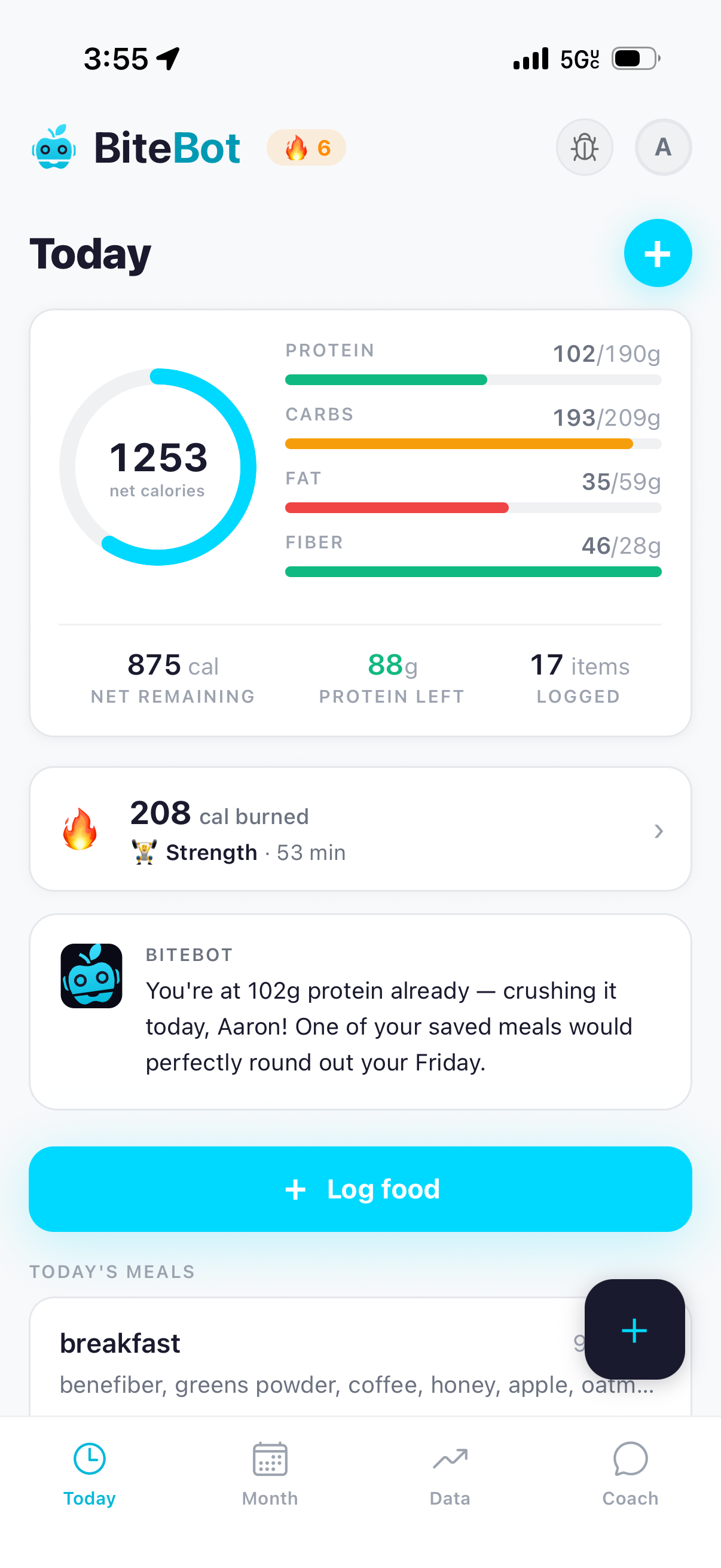
"Doing great Aaron, already have 67% of your protein and plenty of calories left!"
— BiteBot, after a morning log
The Today tab knows it's you.
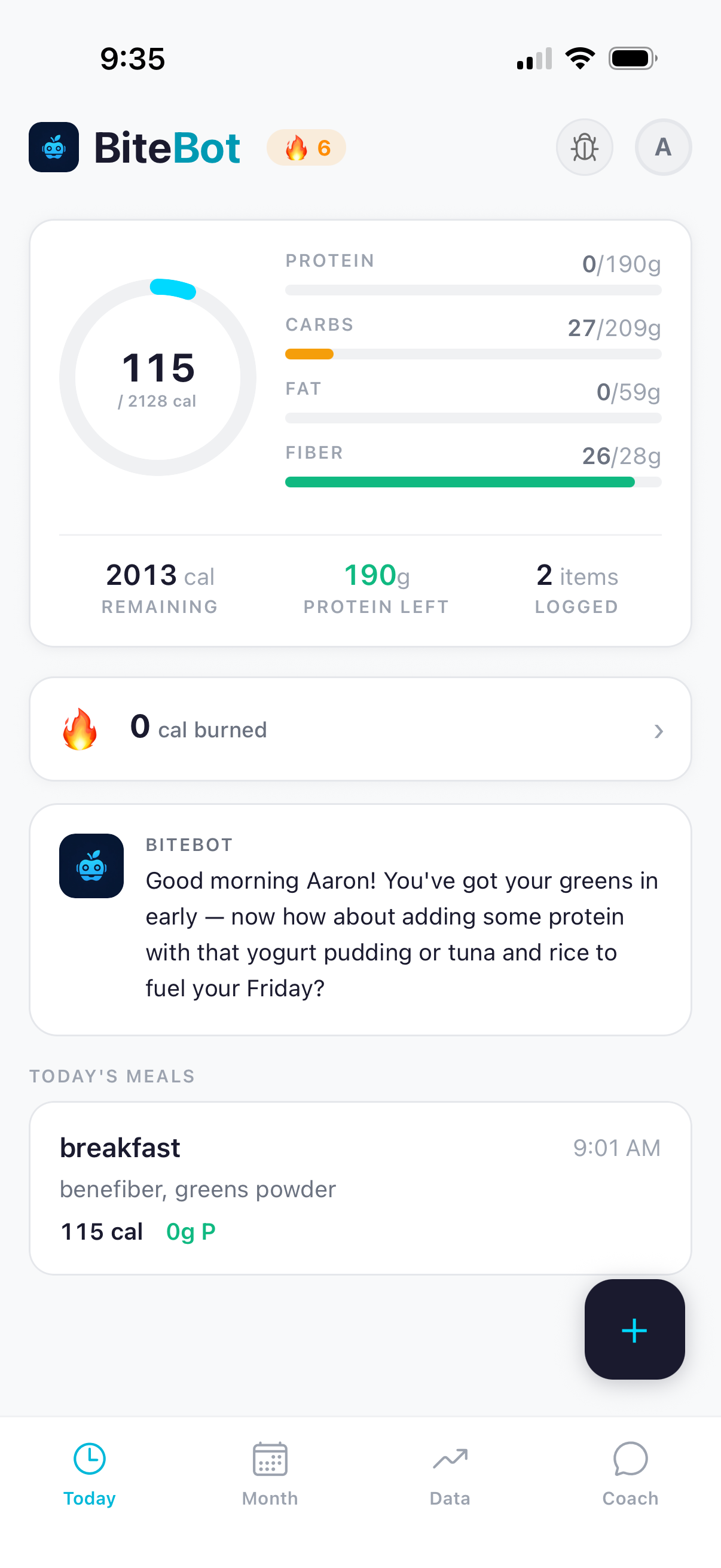
Open the app in the morning and the coach has already read the day. It greets you by name, references what you've logged, and points at what's next — what to add, what's covered, what fits the rest of your plan.
It's the same coach you'll meet in the chat tab. The proactive nudge and the open-ended question are two surfaces of the same thing: a coach who has your data and isn't shy about using it.
Try it on a real meal you ate today.
BiteBot is free during beta on TestFlight. Log one breakfast and you'll see why typing wins.
Try BiteBot — it's free