The stuff that surprises people.
Some BiteBot features earn their own page. These are the ones that earn an "oh, that's clever" the first time you notice them — built into the daily flow, easy to miss until they happen to you.
Built by Aaron in TestFlight. Getting better every week.
Built in front of you.
See something that doesn't work right? Tap the bug icon anywhere in the app. Most reports become fixes within hours, not weeks. BiteBot is being built actively, and the people using it now are shaping what it becomes.
The version you're using next month won't be the version you're using today — it'll be better, because of you.
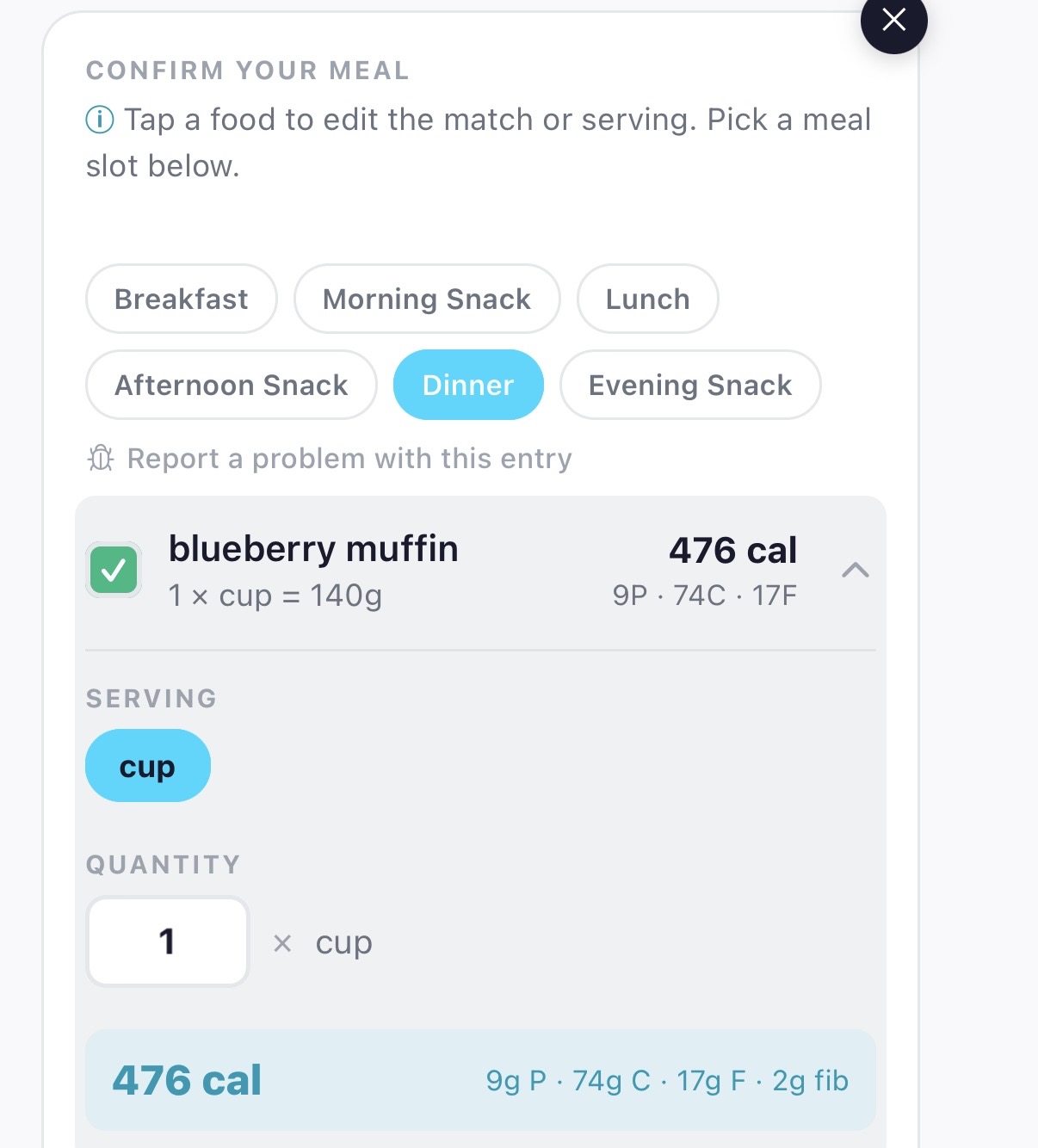
A database that grows with you.
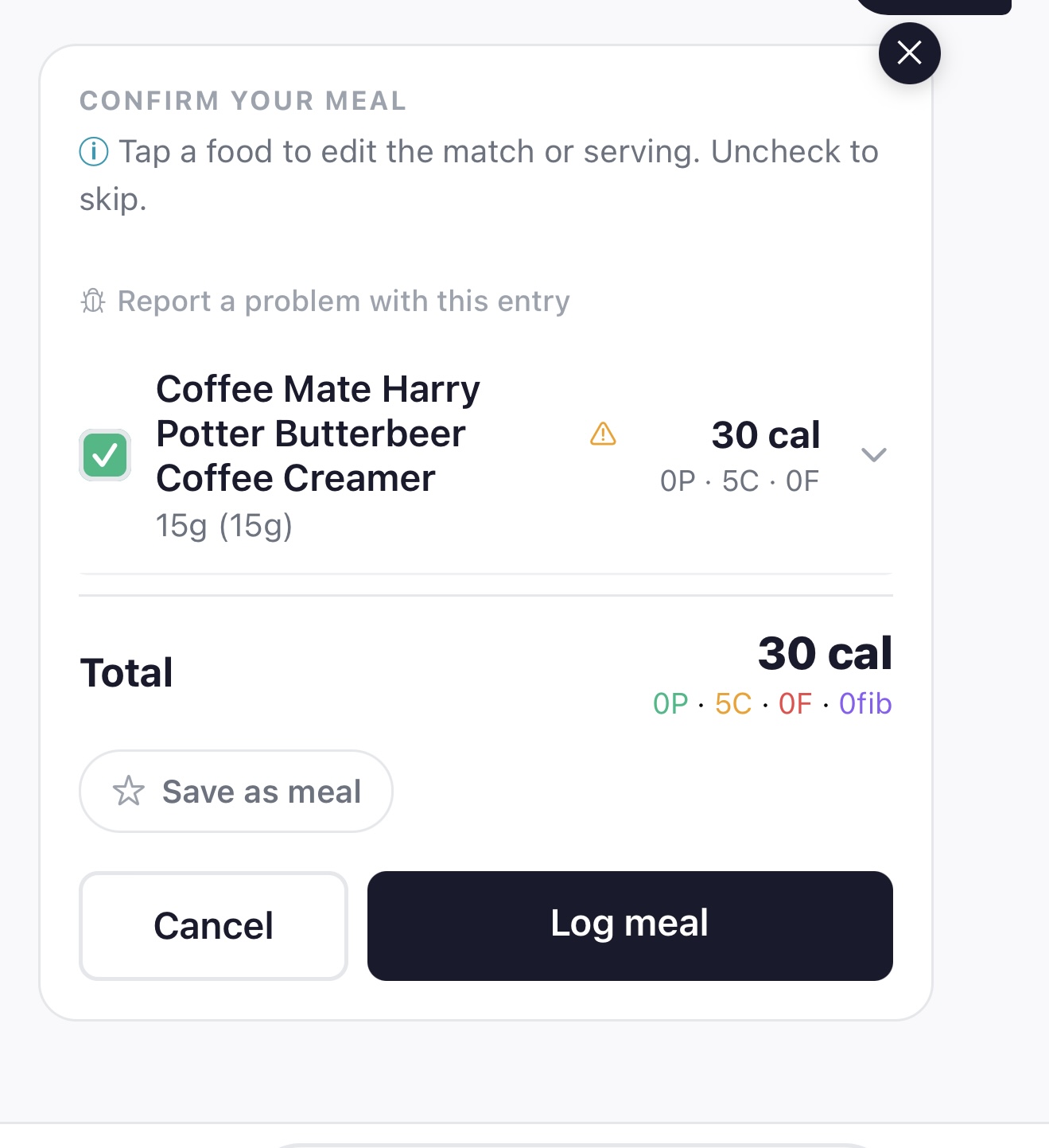
Type in a regional snack you found at a friend's house. Photograph a new drink. Paste a recipe link from a blog you've never been to. BiteBot identifies what's in it, makes a reasonable estimate, flags it for verification, and adds it to the database — for you, and for everyone who comes after.
Most trackers ask you to find your food in a list. BiteBot expects that the food you ate isn't in the list yet. The estimate gets reviewed and refined; the next person to log the same thing finds it ready.
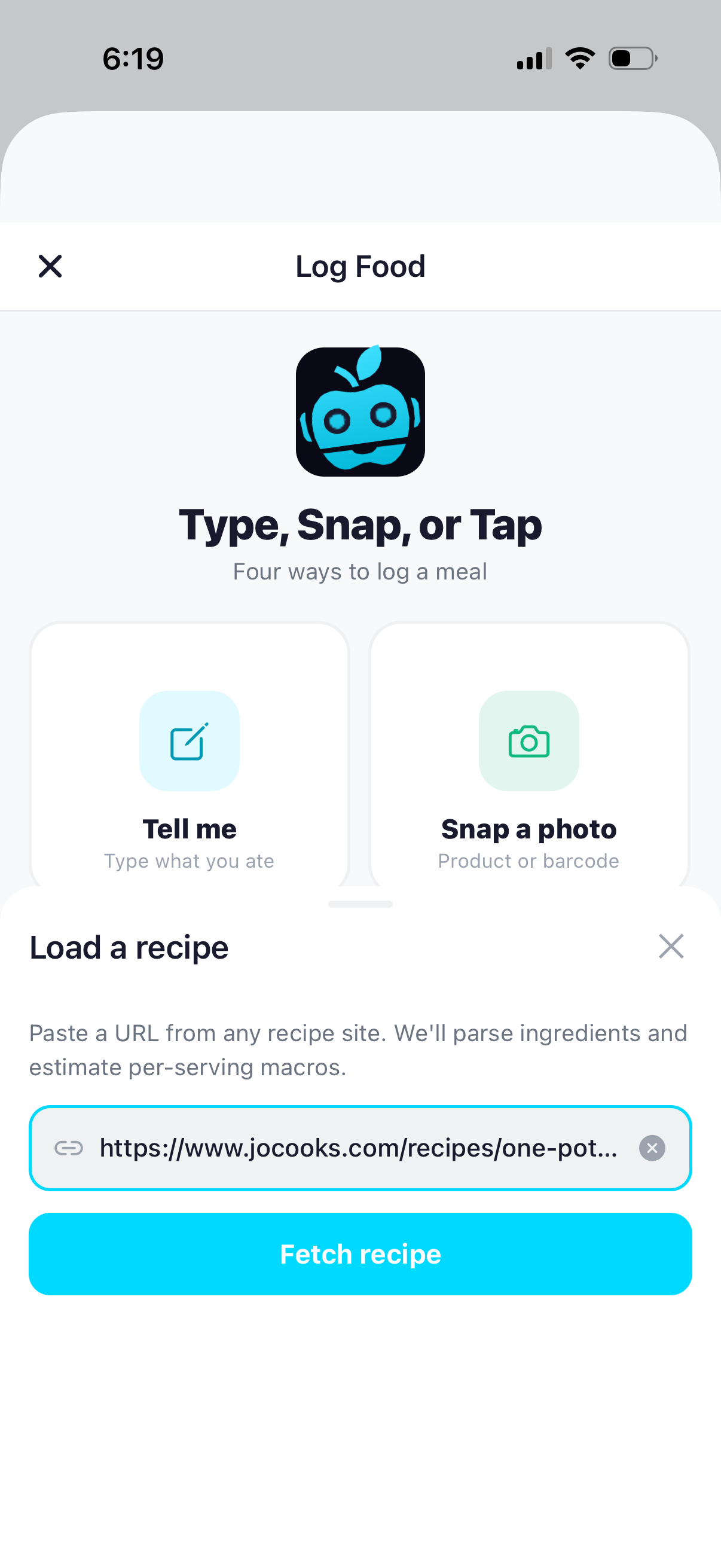
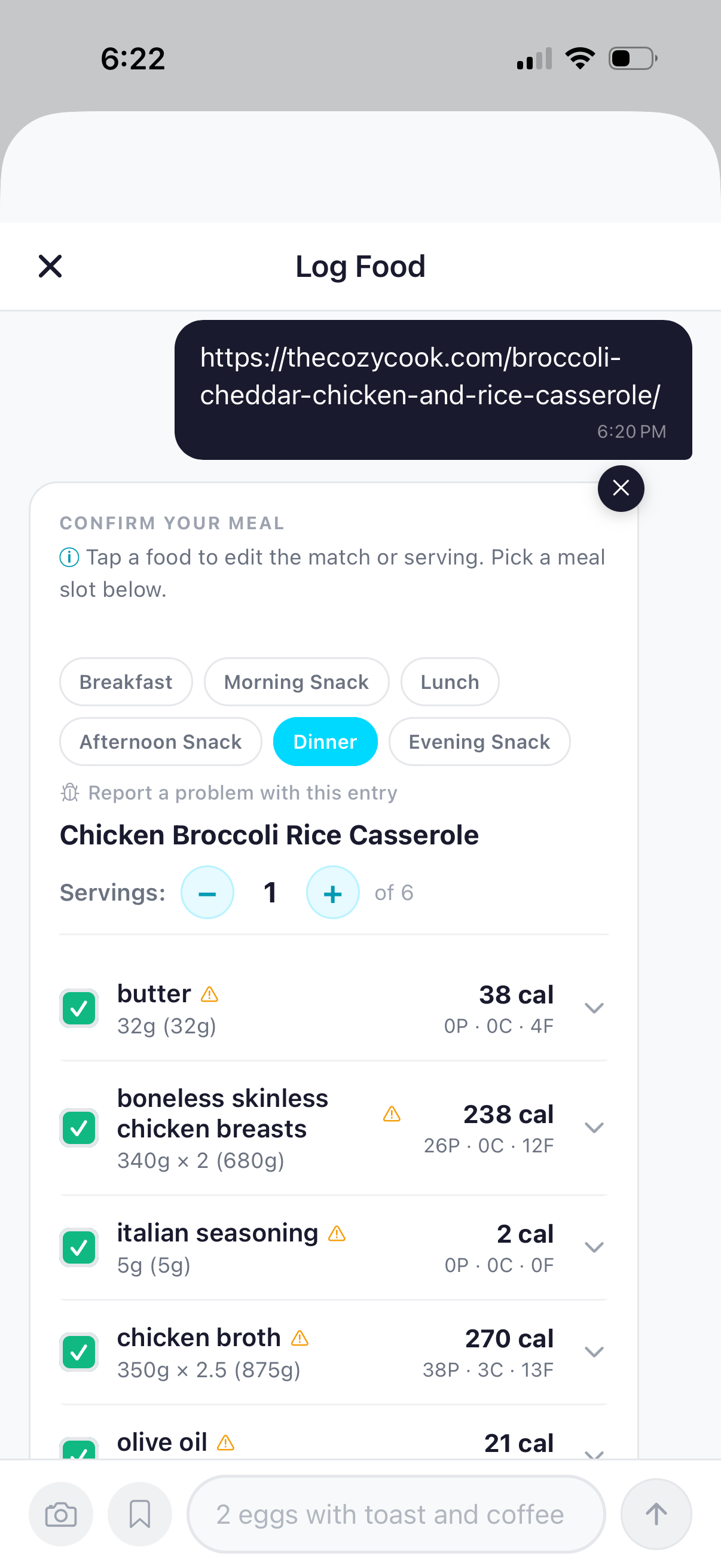
Built for how people actually eat.
Your wife sends you a recipe. You paste the link into BiteBot. She does the same. Now you've both got dinner loaded — ingredients parsed, macros estimated, ready to log when you eat. Most apps treat tracking as a solo activity. BiteBot quietly works when food is shared.
A coach that knows you trained.
Finish a workout and BiteBot already knows. Apple Health passes through the workout type, the calories, the heart rate zone — and a card surfaces with one more piece of context: whether you trained fed or fasted. Tap through and the coach is already on the recovery side of the conversation, with suggestions calibrated to what you actually did and what you actually need.
No manual workout logging. No generic "eat protein." A coach who notices you ran a threshold session, knows you ate before, and tells you what to skip and what to lean into.
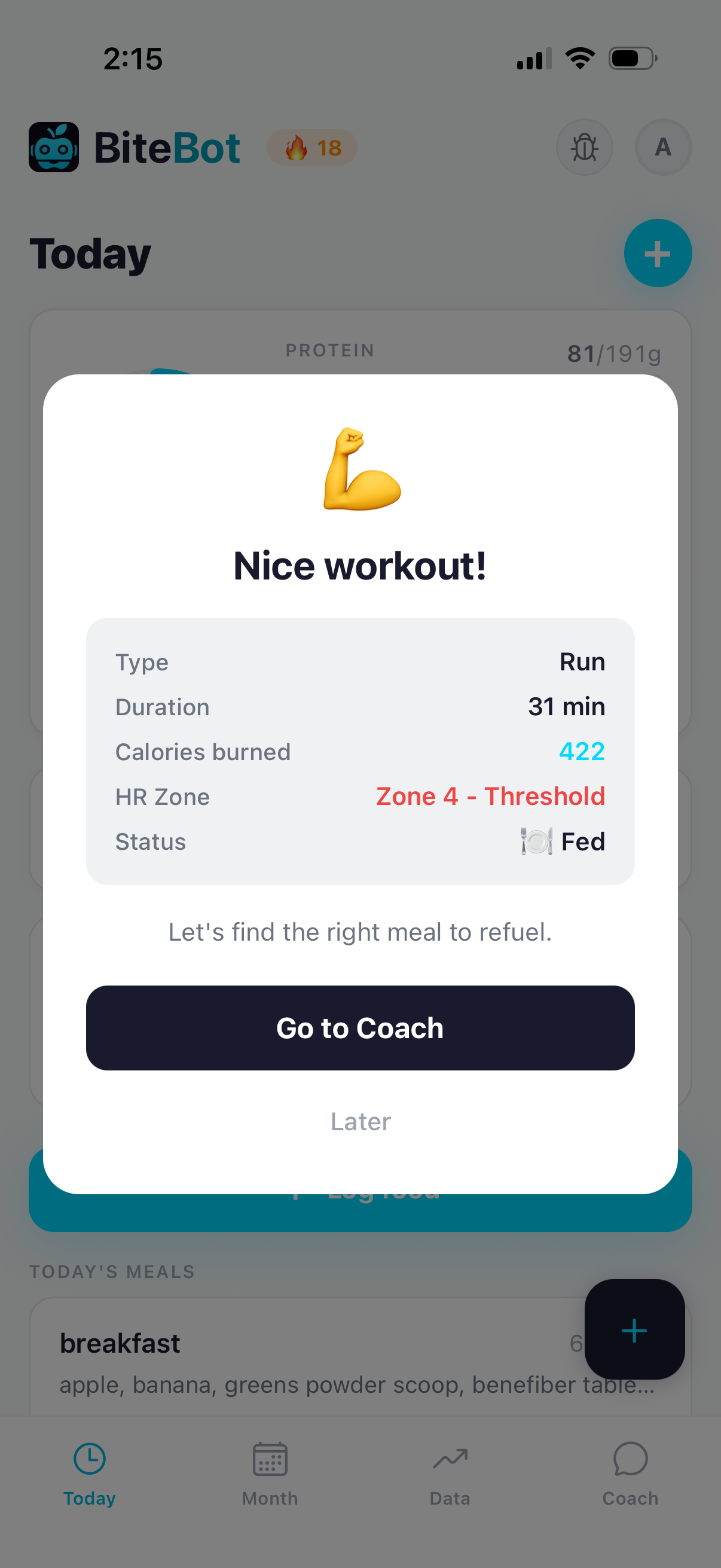
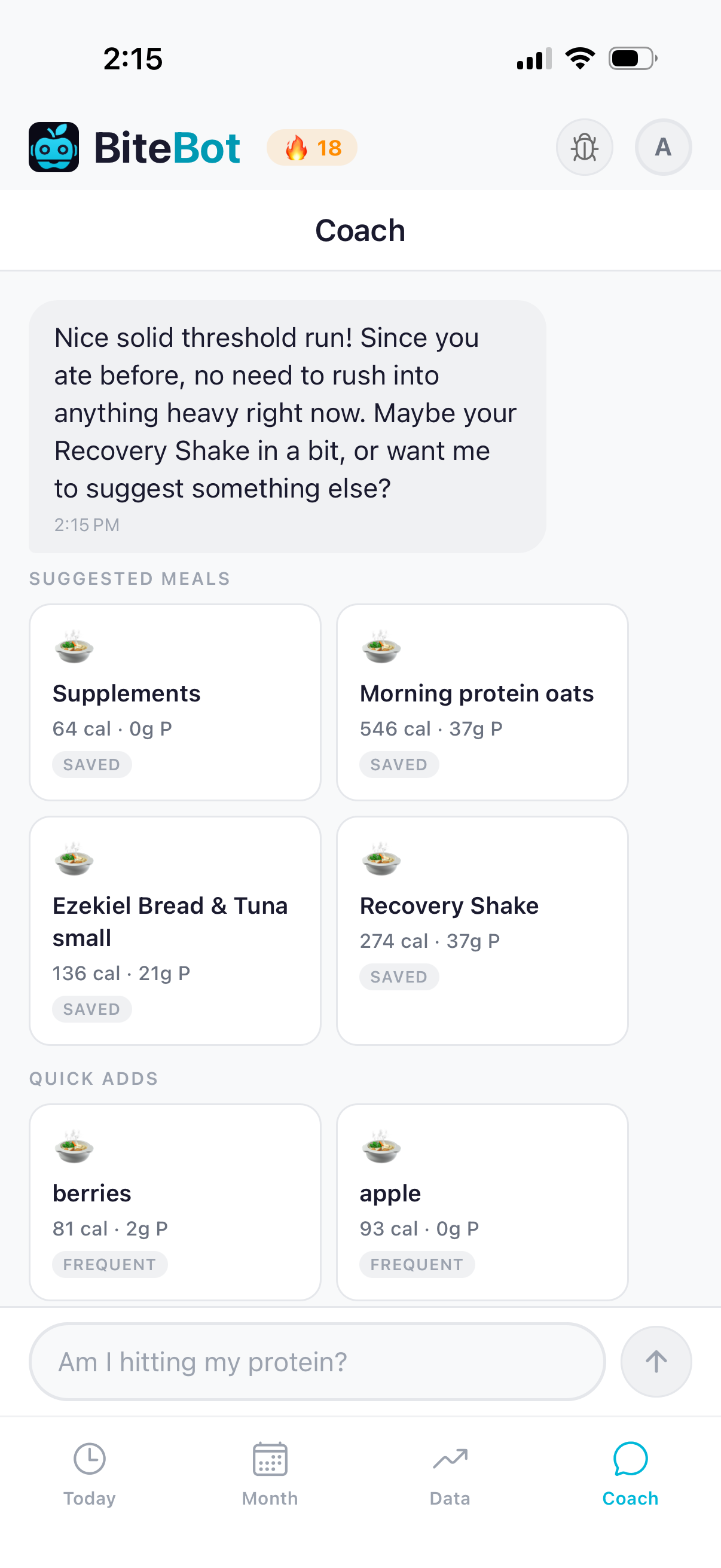
"You were well fed, so no need to load up — just keep recovery solid with protein and healthy carbs."
— BiteBot, after a fed threshold run
And these, too.
The smaller pieces that add up.
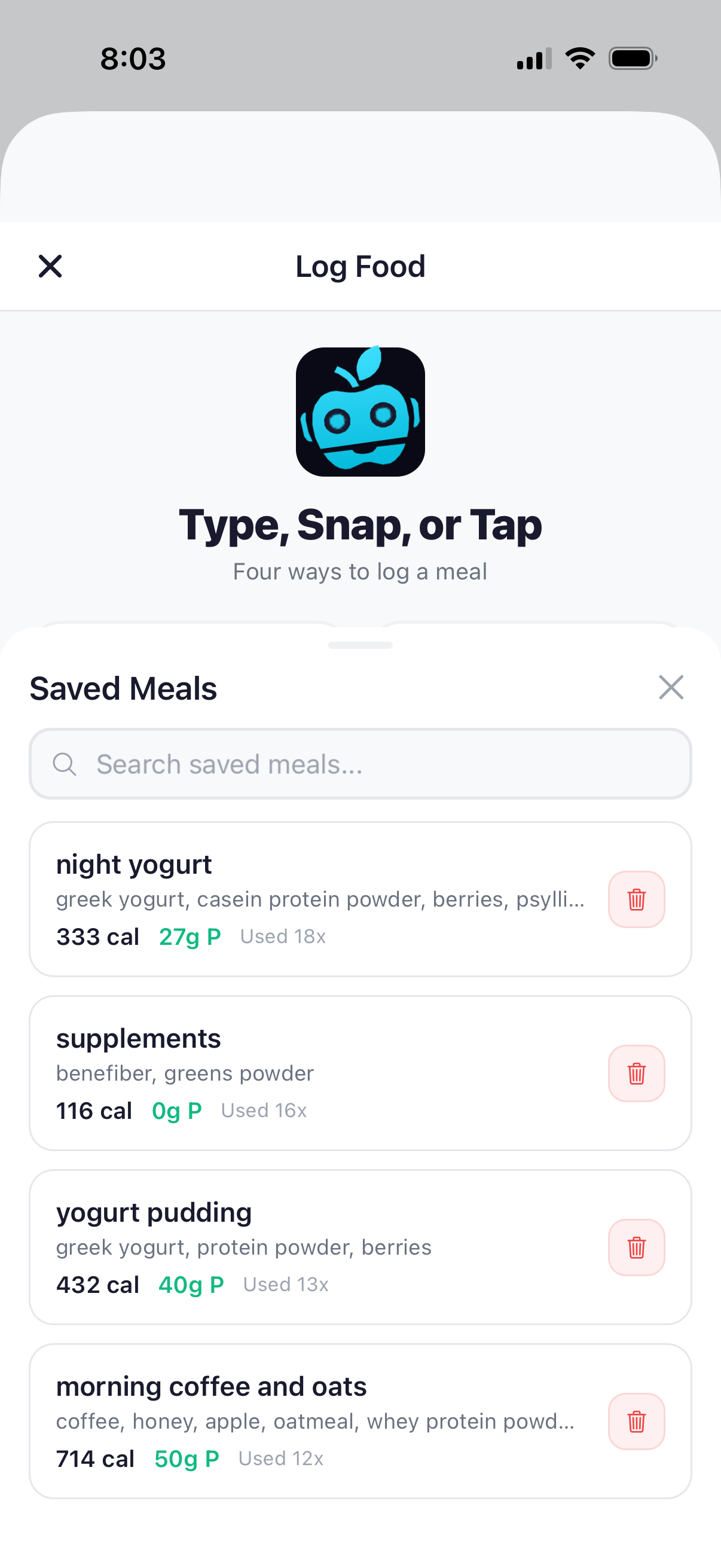
Saved meals
Save what you eat often. They surface at the right time of day — morning meals around 7 AM, post-workout shakes after a run.
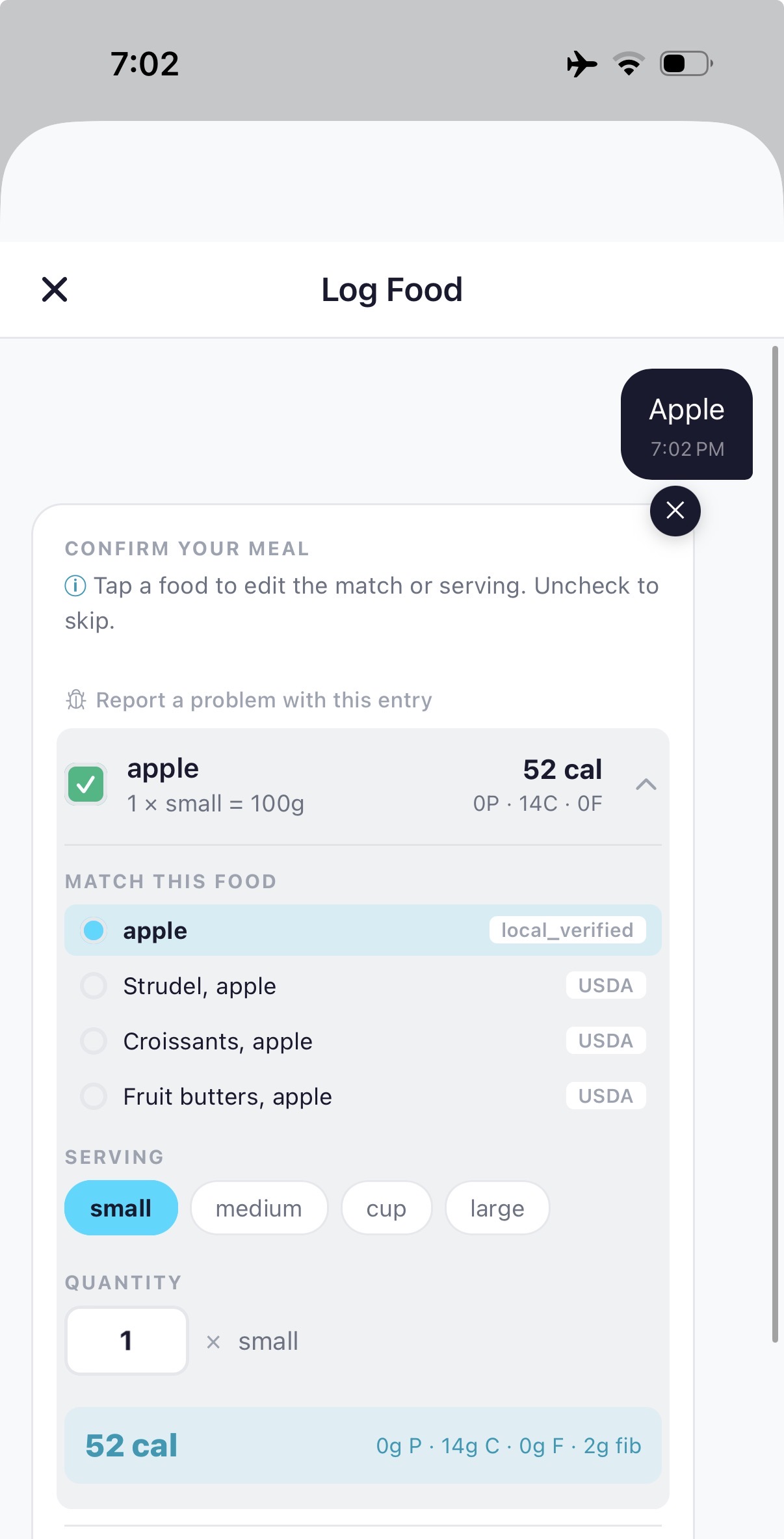
Source transparency
Every food shows where its data came from: USDA, restaurant menu, or AI estimate. You always know how confident to be.
Sign in with Apple
One tap to start. No email collection. No password to forget.
Start finding the small ones for yourself.
Free during beta on TestFlight. The "oh, that's clever" moments are easier to spot than to describe.
Try BiteBot — it's free